Tdarr - Automated video conversion
Today, we will talk about Tdarr, why I decided to use it, and the configuration options available.
Tdarr V2 is software that allows automatic conversion of your video library, including movies, series, etc.
Link to Tdarr: Tdarr
It many interesting features, especially if, like me, you have a lab with multiple hosts, automated library management, containers, etc.
- It is cross-platform and can be installed on Windows, Linux, Mac, using Docker, etc.
- It is a distributed system, with a manager to configure tasks and nodes that can be on the same server or separated to allow multiple transcoding tasks to run in parallel.
- Both manager and nodes use the same shared storage. This is a key point to configure, as improper setup may cause issues.
- It supports hardware transcoding, allowing the use of CPU or GPU if available.
- For conversion, both HandBrake and Ffmpeg can be used.
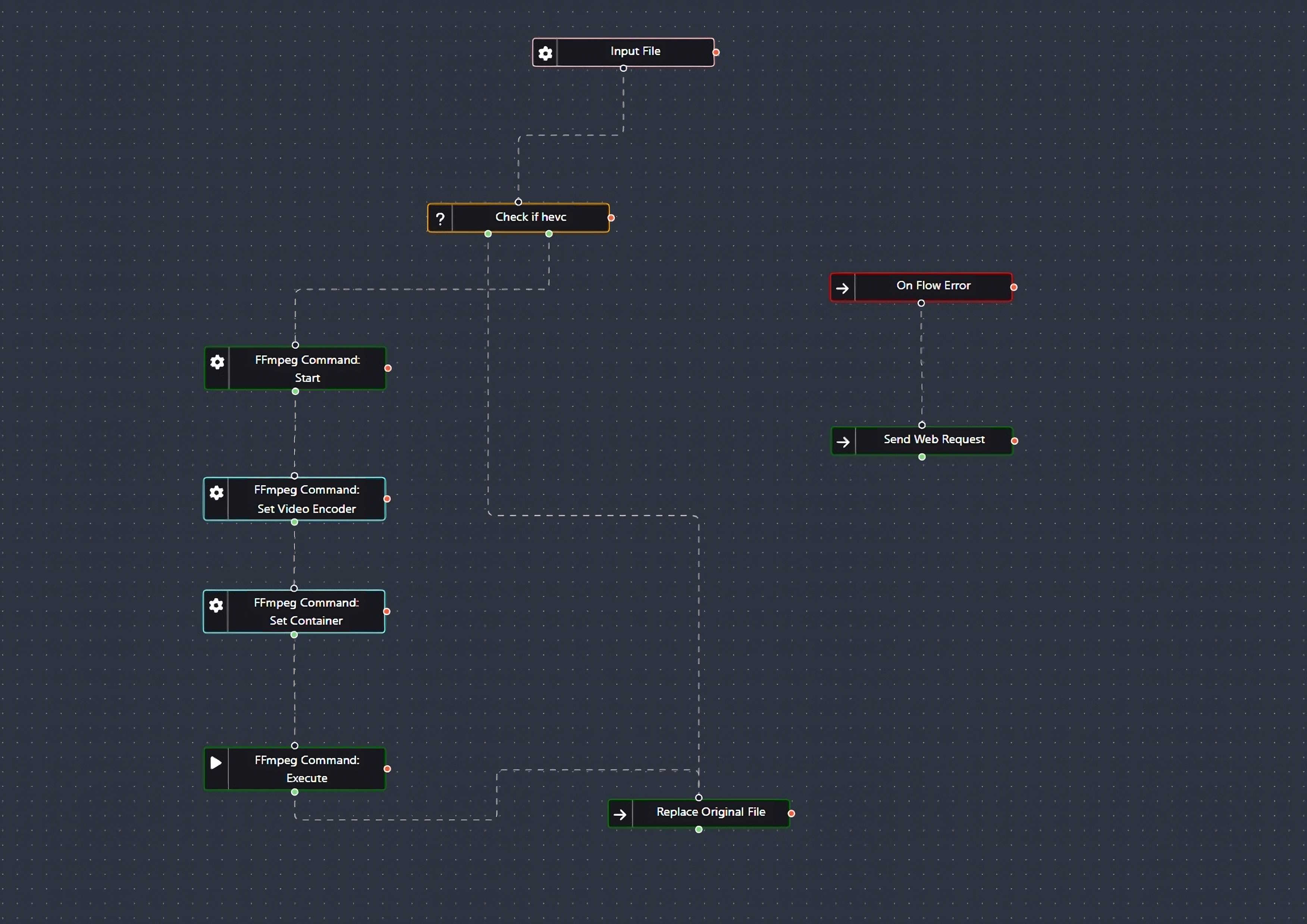
- It features an automation tool (Tdarr Flows) with community-generated plugins for almost any task: changing formats, tweaking subtitles, renaming files... there are numerous options.
- License It has a free tier that provides everything necessary for normal use. No functionality is missing that would force you to pay for domestic use. There is also a paid tier for advanced statistics, Discord notifications, and other optional features or if you want to support the creators.
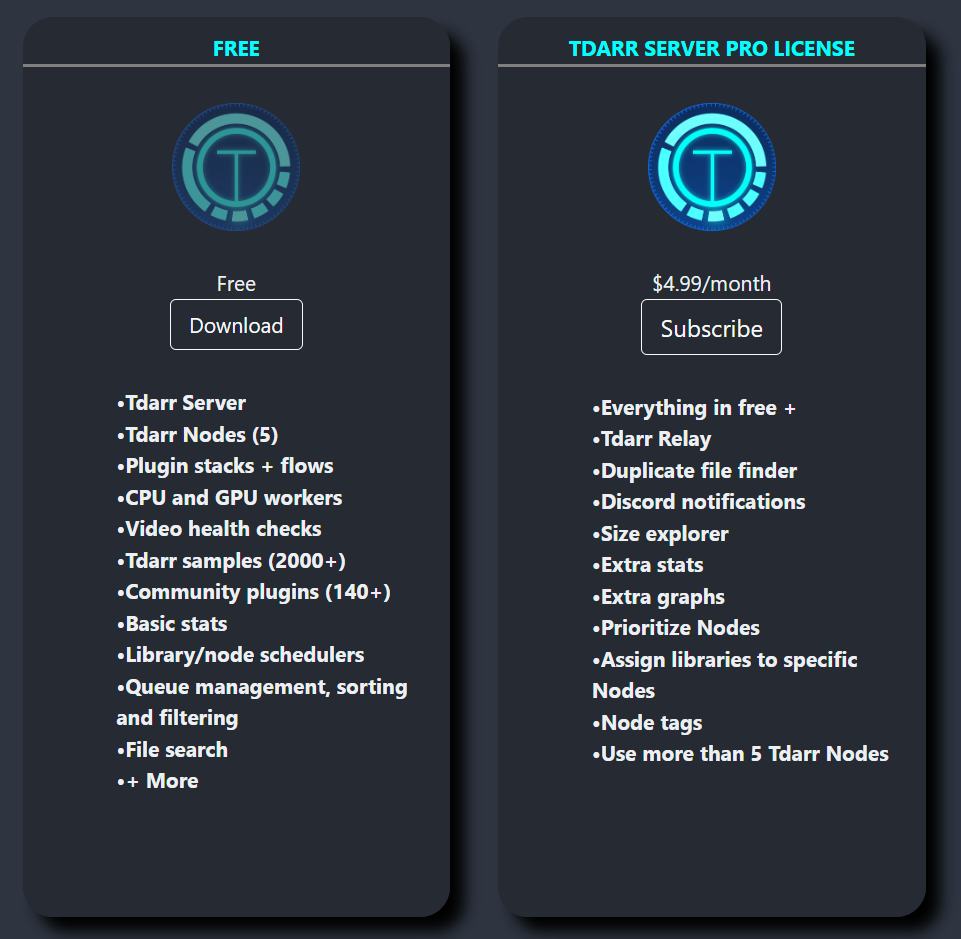
Additionally, there is a business license for setups requiring more than five nodes and commercial use.
Why convert the library? In my case, I have a library of about 50TB with a mix of video codecs and resolutions, which creates several issues:
- Having videos with outdated codecs means files are significantly larger than they would be if encoded in HEVC. This is the most important point for me since I’ve observed that space savings can reach 50% in most cases.
- Some older codecs are incompatible with devices at home, forcing transcoding instead of streaming directly, which could be avoided.
- Streaming larger files uses more bandwidth. While HEVC requires the destination device to be compatible (TV, mobile, or other), the trade-off is often worthwhile.
- Architecture and Use Case I wanted to run the manager on a small Docker container alongside managers for other applications I use (Radarr, Sonarr, Deluge, etc.), which run on a Synology device. The nodes will initially run on three VMs within a cluster of three separate vSphere ESXi hosts to maximize CPU utilization.
I won’t need much configuration since I just want to convert videos to HEVC without renaming or moving files to a different folder, etc. The default configuration suffices.
Storage will be shared on Synology using NFS, which I’ll mount on the VMs.
-
Prerequisites We’ll set up the manager on Docker and the nodes on VMs. For this, you’ll need:
- VMs deployed with Linux and connectivity to the shared storage.
- Ensure Docker and Docker Compose are installed where the manager will be deployed.
- On the node VMs, install the following dependencies:
HandbrakeCli, handbrake. Download Handbrake. ccextractor. ffmpeg. Mkvtoolnix.
- Download the Tdarr package on the VMs. I’ll install it under the
/optdirectory. Download Tdarr
- NFS Storage Configuration
We need to create shared folders for the manager and nodes. Create the following directories:
tdarr-serverfor the manager’s persistent storage.tdarr-logsfor storing logs.tdarr-configfor the manager’s configuration.cacheas a working folder for the nodes to perform conversions.mediaas the root folder containing your media library.
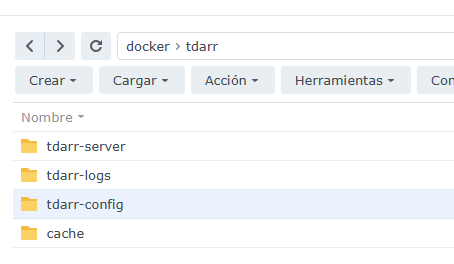
As mentioned earlier, it is crucial that the folders are accessible to both the manager and nodes. Moreover, they must have the same path. If they don’t, you’ll need to configure "pathTranslator" entries in the configuration files. Incorrect configuration may result in errors when moving converted files back to the libraries.
The two critical folders are cache and media. For both the manager and nodes, we will set the same paths:
- Library will be located at
/media. - Conversion cache will be located at
/temp.
Optionally, you could centralize the configuration and logs. I didn’t do this in my case, but it’s as simple as sharing a folder for /opt/Tdarr/logs/ and /opt/Tdarr/configs/.
- Tdarr Manager Configuration with Docker Compose
Fields to modify:
- Ports, as needed.
- Add hardware acceleration if you plan to use it.
- The directories created in the prerequisites.
- The media folder media.
Docker Compose:
    version: "3.4"
    services:
      tdarr:
        container_name: tdarr
        image: ghcr.io/haveagitgat/tdarr:latest
        restart: unless-stopped
        ports:
          - 8265:8265 # webUI port
          - 8266:8266 # server port
        environment:
          - TZ=Europe/Madrid
          - PUID=1026
          - PGID=100
          - UMASK_SET=002
          - serverIP=192.168.10.3
          - serverPort=8266
          - webUIPort=8265
          - internalNode=true
          - inContainer=true
          - ffmpegVersion=6
          - nodeName=MyInternalNode
          - NVIDIA_DRIVER_CAPABILITIES=all #Solo si necesitamos aceleración por hardware
          - NVIDIA_VISIBLE_DEVICES=all #Solo si necesitamos aceleración por hardware
        volumes:
          - /volume1/docker/tdarr/tdarr-server:/app/server
          - /volume1/docker/tdarr/tdarr-config:/app/configs
          - /volume1/docker/tdarr/tdarr-logs:/app/logs
          - /volume1/Plex:/media
          - /volume1/docker/tdarr/cache:/temp

    networks:
      default:
        name: NetworkName
        external: true
Official documentation: Tdarr Compose
If you want to enable additional acceleration options, you can check them here: Hardware transcoding
Deploy the container and configure the configuration file found in the /tdarr/tdarr-config/Tdarr_Server_Config.json directory.
An example configuration would be:
      {
      "serverPort": "8266",
      "webUIPort": "8265",
      "serverIP": "192.168.10.3",
      "serverBindIP": false,
      "handbrakePath": "",
      "ffmpegPath": "",
      "logLevel": "INFO",
      "mkvpropeditPath": "",
      "ccextractorPath": "",
      "openBrowser": true,
      "cronPluginUpdate": "",
      "auth": false,
      "authSecretKey": "tsec_n0rOS2xNDJ9UM4De_WhgFhKN1SgYX",
      "maxLogSizeMB": 10
}- Tdarr Node Configuration on Virtual Machines
- Mount the shared library and cache directories.
Example of fstab entries:
    192.168.10.3:/volume1/Plex    /media     nfs async,intr,bg
192.168.10.3:/volume1/docker/tdarr/cache /temp nfs async,intr,bg- Download the Tdarr Node package (from the prerequisites section) into the
/opt/directory:cd /opt/ wget https://storage.tdarr.io/versions/2.17.01/linux_x64/Tdarr_Updater.zip chmod +x Tdarr_Updater_linux unzip Tdarr_Updater.zip - Run the installer:
chmod +x Tdarr_Updater cd Tdarr_Node/ ./Tdarr_Node - Modify the configuration files: There’s no need to configure the path translators because we are using the same paths for the manager and the nodes.
Configure:
- The manager’s IP, ports, and URL.
- The path where HandBrake is installed.
- The path to ffmpeg.
Example node configuration file at /opt/Tdarr/configs/Tdarr_Node_Config.json:
    {
      "nodeName": "AST-Worker01",
      "serverURL": "http://192.168.10.3:8266",
      "serverIP": "192.168.10.3",
      "serverPort": "8266",
      "handbrakePath": "/usr/bin/HandBrakeCLI",
      "ffmpegPath": "/usr/bin/ffmpeg",
      "mkvpropeditPath": "",
      "pathTranslators": [
        {
          "server": "",
          "node": ""
        }
      ],
      "nodeType": "mapped",
      "unmappedNodeCache": "/opt/tdarr/unmappedNodeCache",
      "logLevel": "INFO",
      "priority": -1,
      "cronPluginUpdate": "",
      "apiKey": "",
      "maxLogSizeMB": 10,
      "pollInterval": 2000
}-
Tdarr Node configuration as a service Create the configuration file for the service as
/etc/systemd/system/tdarr_Node.service:[Unit] Description=Tdarr Node Daemon After=network.target [Service] User=root Group=root Type=simple WorkingDirectory=/opt//Tdarr/Tdarr_Node ExecStart=/opt//Tdarr/Tdarr_Node/Tdarr_Node TimeoutStopSec=20 KillMode=process Restart=on-failure [Install] WantedBy=multi-user.targetEnable the service:sudo systemctl enable tdarr_Node
Start and check the service:systemctl start tdarr_Node systemctl status tdarr_Node
 -
Adding the Worker to the Manager
- Go to the Tdarr Manager interface in your browser. The worker should appear automatically if it is properly connected.
If it doesn’t appear, verify:
- The Tdarr Manager’s IP/port in the worker configuration.
- Firewall rules on both machines.
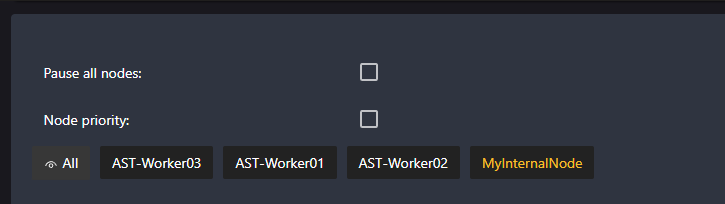
I’ve paused "myInternalNode" and enabled all CPU cores except one on each node.
- Final Configuration Now, just open Tdarr, set up the libraries, and configure the transcoding tasks.
Add your media libraries from the Manager and verify that the workers process them correctly. You can adjust transcoding profiles and preferences from the Manager. With this, you should have a functional Tdarr system with a centralized Manager and distributed Workers.
Author: Francisco Tocino