RAG - LLM training at your own
How interesting this whole world of Artificial Intelligence, and they are becoming more accessible to the general public, increasingly intelligent or with more capabilities... And one of the problems is the "limited" capacity to how they are trained or with what data, and I say this from the heart, because limited the actual models are not limited, but it's to understand what comes next.
In addition to everything that AIs can help us today, surely one of the questions that everyone is asking, companies of course, is: How can I take advantage of it with my data, with my reality? How can I inject data into it and ensure that this analytical or generative capacity is based on the data that I pass on to it?
Well, that's what this post is about, how to inject our own information to train the AI. Here the purists will say that this is not “training” the AI, but rather expanding its knowledge, giving it more information so that it can give us the answer for which it was trained. For this we have the Retrieval-Augmented Generation (RAG), and AWS, Google o Microsoft define it a little differently, but basically it is the ability to inject your information to improve the output of the AIs, and that to what they are able to learn and propose, they add the content you want.
That said, let's perform an experiment:
- Start a LLM (Large Language Model) on our computer and ask it a question
- We inject our own information
- We ask the same question again, to the same LLM
Ollama
Not only is it possible to use copilot or gemini in service mode, but we can also deploy our own LLM to modify and play with it. The big hyperscalars give us that facility, but for this experiment we are going to use Ollama, which allows us to deploy those LLM in our computer. To download it you only have to access this link. In my case I have installed it on a Windows laptop, not because I'm crazy, but because in that laptop I have an NVIDIA card, and Ollama recognizes it and uses it. It gives a little better performance, although in this case it is not a big deal because of the card model.
Once installed, you can access through the system prompt with the following commands
- List of available LLMs
Ollama list
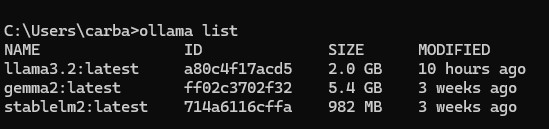
- Start one of the LLMs (in this case start Llama 3 or Gemini 2, Stable diffusion is more oriented to image generation).
Ollama run llama3.2
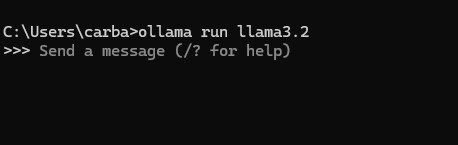
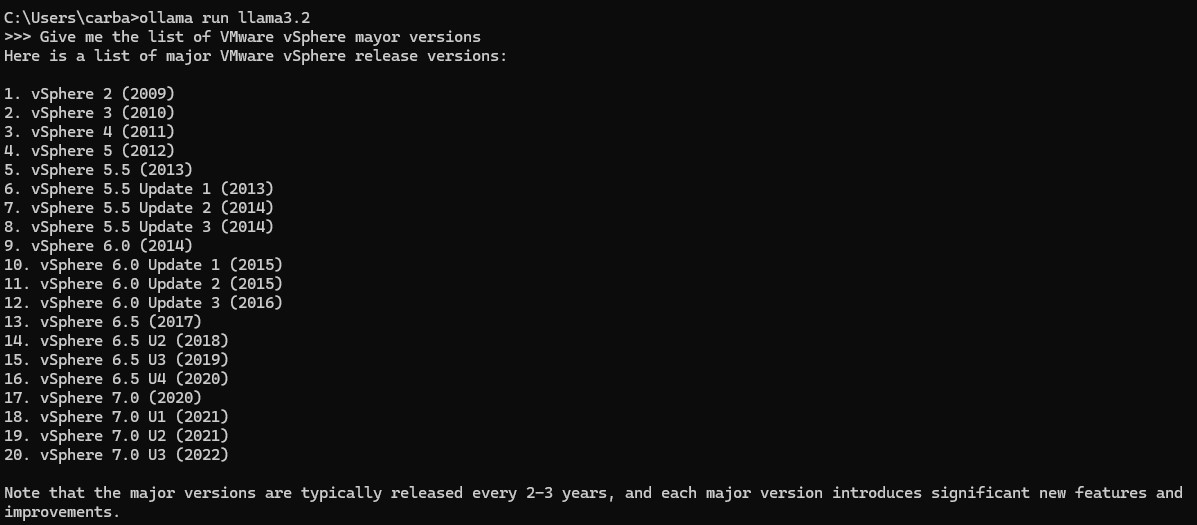
- We ask the LLM a question to know what is its level of update. In this case we ask it to give us the VMware vSphere versions it knows, and it shows us up to version 7.3 (2022), and today the version is 8.3.
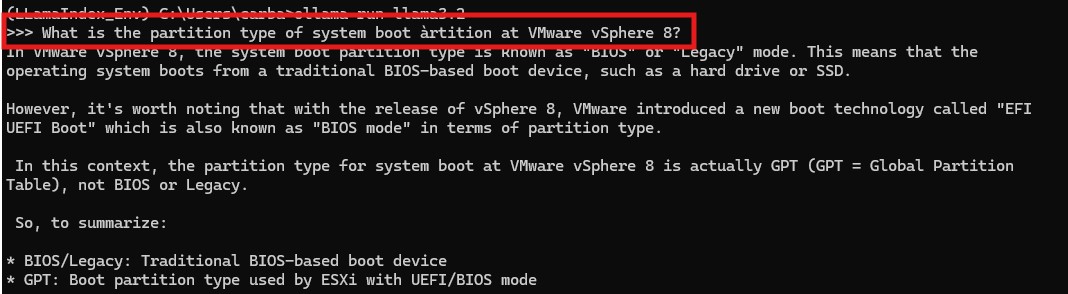
- Now we ask it a control question, and we will compare the answer after having injected updated information. In this case we will ask it to tell us what is the type of partition, of the “system boot partition” in a VMware vSphere 8. The answer is curious, because we have seen that it does not know beyond version 7 and the answer is not a lie and it's not bad, but it looks like the answer of someone who does not know the answer, and tries to elaborate it with what he does know.
RAG - Llama index
So far we have only invoked an LLM locally, with Ollama, and asked it questions. The answers are based on a generative response, but it is “limited” to what it knows, to the set of information it was given in its learning period. What we are going to do now is to inject information into the LLM to enrich its knowledge. We will use LlamaIndex which is an open source framework for information injection for LLMs, and in a very high level, it works as an interface between our data, in files, databases, APIs, etc. and the LLMs.
For this part of the practice we will create a Python script. We will invoke the LlamaIndex libraries to load our PDFs, do the reading and transformation, and invoke an LLM with the personal data we have loaded into it.
We will have a folder, “Data”, which contains 4 PDFs with version and upgrade information for VMware vSphere and vCenter version 8.
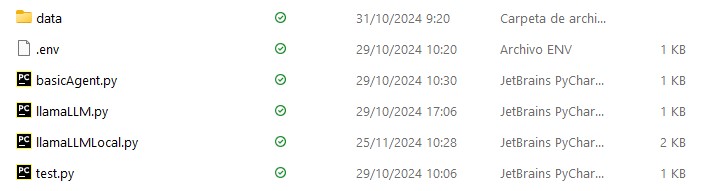

The Python script
from llama_index.core import VectorStoreIndex, SimpleDirectoryReader, Settings
from llama_index.embeddings.huggingface import HuggingFaceEmbedding
from llama_index.llms.ollama import Ollama
from datetime import datetime

#Reference the documents in "data" folder and generate the index
print(f"{datetime.now()} Reading directory files")
documents = SimpleDirectoryReader("data").load_data()

# bge-base embedding model
print(f"{datetime.now()} Embedding model")
Settings.embed_model = HuggingFaceEmbedding(model_name="BAAI/bge-base-en-v1.5")

# ollama
print(f"{datetime.now()} Ollama call")
Settings.llm = Ollama(model="llama3.2", request_timeout=360.0)
print(f"{datetime.now()} Generating index from documents")
index = VectorStoreIndex.from_documents(documents,)
query_engine = index.as_query_engine()
while True:
    prompt = input(
        f"{datetime.now()} Prompt (press 'q' and enter to exit): ")
    if prompt.lower() == 'q':
        print("Bye")
        break
    response = query_engine.query(prompt)
    print(f"{datetime.now()} {response}")
Final result
Remember that we asked the LLM, without our data, what type is the system partition of an ESXi, and the answer although not bad, was not what we were looking for. In the ESXi update document, which we passed with the LlamaIndex, we found this table, and in it the answer we were looking for from LLM.
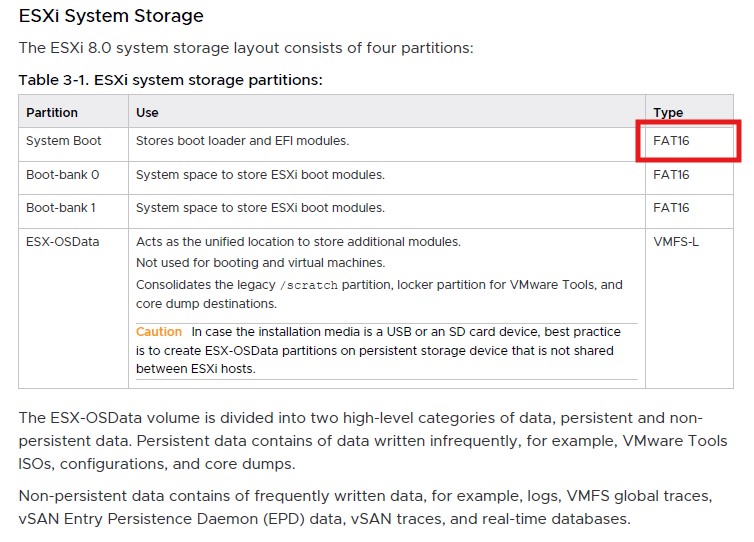
We run the python script, which will first load the documents we have in the “data” folder and then call the LLM which in this case will be the same as the previous one for the comparison.

Et Voilá!!!, as seen in the output, in this case to the same question does not beat around the bush, it knows the answer (FAT16) and so as it puts it. Obviously in the previous case, where it does not know the vSphere versions 8 and does not know the answer to what we ask, we can play with the heat parameters to make your answer more or less “imaginative”. In any case these parameters have not been modified because it is not the objective of the practice, although you should know that you can, and should, play with these parameters in a real scenario.
Author: Carlos Carballeira